Life, Technology, and Meteorology

Author: mike (Page 20 of 26)

Dash Monitors 1.1 preview

Dash Monitors 1.1 preview was released this morning. Version 1.1 includes two new graph modes: text and graphical. From the project web page: The text view mode shows a very simple text view of the resources being used and is beneficial because it takes very few system resources to generate the statistics. The graphical view mode, while taking more CPU resources to draw all the monitors, displays a nice interface to what is happening on the system. Text summaries are provided with most of the monitors in graphical mode to provide the exact data along with the graphical approximations.

I’m releasing this version with an expiration date of June 1. I’m sure the Dashboard environment will continue to change as Apple gets closer to a public release of Tiger, so I don’t want to offer a full release until then.

Check out the preview release and post suggestions for future functionality to the Gaucho Software Forums.

Spell check please…

I have this “odd” behavior when using my computer occasionally; whenever something isn’t working the way I want it to, sometimes in the moment I will just right-click on the problem area to see if there’s anything in a menu to fix it. Well, this happened to me this morning when I was composing an email to someone. I was trying to spell the word migraine (rain doesn’t have an e at the end…it should be migrane or migrain), and in the instant of frustration, I right-clicked on the word. I just stopped in amazement, as Mail.app showed a contextual menu that started with a list of words that I might be wanting to use instead of my misspelled word. Wow…subconsciously I was expecting that to happen, but it caught me off-guard when it really did happen.

This got me thinking a little bit…Mail.app just uses NSTextViews, so maybe other apps that use NSTextViews will also behave this way. Sure enough, this works in TextEdit as well, so I can only assume it’s system-wide for apps that use that class.

I’m thinking this is a pretty big feature; and I can’t believe I haven’t noticed it before. I’m posting this here hoping I’m not the only one. 🙂

Murphy's Law

What do you get when you cross an XRG release with Murphy’s law? I can understand yesterday’s bandwidth fiasco, which was mostly my fault for not planning better, but this is getting rediculous.

Wednesday, 1:30pm: The power goes out. First thought: Ohh, shit. Second thought: No problem, got the servers on a UPS, everything should be fine. Went downstairs to check, things were okay, brought an extension cord over to power the wireless modem on the UPS as well, link went back up fine.

Wednesday, 2:00pm: UPS power runs dry. Thinking first thought a lot more now.

So now I’m writing this blog entry on my Powerbook, hoping the power will come back on soon. The only saving grace is the XRG mirror download that I posted yesterday is listed as “Download 2” on MacUpdate. Of course, if anyone is linking in from anywhere else, they won’t be getting anything.

So the lesson of today is… if releasing a software application, make sure you have your entire site hosted with a good hosting provider. Ohh, and the MacMini is still cool. 🙂

Update: Power came back on slightly after 3:00pm.

XRG 1.1 released

XRG 1.1 was released this morning. I thought I’d try out releasing the same day as the MacWorld keynote just to see how it goes. So far, it’s been going really well or horrible, depending on how you look at it.

The good part is that about 1200 copies of XRG have been downloaded during the past 6 hours. The bad part is that I severely under-estimated the amount of bandwidth required when doing a software release (hmm, 1200 * 1.2Mb/copy = 1.44Gb + normal web traffic). Since the beginning, I’ve hosted the XRG web site on my own machine, and offered the XRG downloads from a machine at Ephibian. This was never a problem, and my web server (at the time on a 40K/sec uplink) always had plenty of bandwidth to spare, so I thought that hosting both the site and the downloads in-house on a 90K/sec uplink would work out well. Oh was I ever wrong. Within an hour of releasing, my connection was completely saturated and the server was handling over 90 connections concurrently. The network connection remained pegged for about 4 hours after that, and has only now started to trickle down a bit.

At first, I couldn’t think of any way to handle it and thought I was pretty much screwed, then I thought of a few things that helped out a bit. The first thing I did was set up a download mirror back on the old web server with a 40K/sec uplink. This helped less than I thought it would because, unfortunately, not too many people choose to download from a mirror site. The second thing I did was turn off my web log analyzer, not because it was taking too much CPU (actually, the server never broke a sweat really), but because I have the analyzer configured to do DNS lookups on the IPs that hit the server so I can see a pretty graph on where people are coming from throughout the world. 🙂 Usually, the analyzer runs every 2 hours, but I figured it could wait for awhile. This ended up helping more than I thought it would; I guess the number of DNS connections made would have been pretty high. This probably benefited the web page traffic the most, since a reduced number of connections on the network would improve the speed of short-term network connections dramatically.

So the lesson of the day is: If you release a software application, make sure you store the download(s) with a good hosting provider. I suppose the benefit of today’s events is that I’ll know this when releasing an application that I’ll actually be charging for. 🙂 I’ll probably post a followup blog entry on the release in a few days.

PS: MacMini? Sweeeeet… If I would have had this choice a few months ago my computer purchase would have been a lot more difficult. A compile farm of about 5-6 of these things would probably work faster than my 2.5Ghz G5 could chug through compiling apps. And then there would have been the numerous possibilites… 2Ghz G5 + MiniMac, or 1.8Ghz G5 with 2 MiniMacs, etc. Maybe it’s better I did buy my computer before these came out. 🙂

All's quiet on the blogging front…

It’s been quite awhile since I’ve posted anything here, and that’s mostly a result of a busy holiday season, but Gaucho Software has been keeping me busier than usual as well.

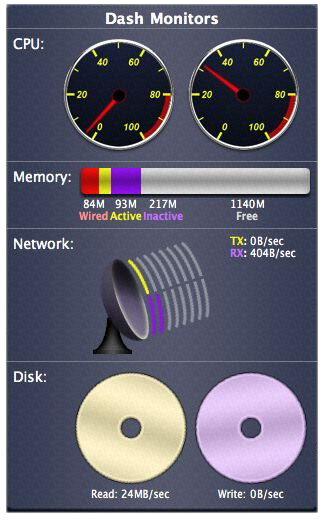
After the release of Dash Monitors 1.0, I’ve received a lot of interest from 3rd parties about it’s continued development. Since the second dashboard contest deadline was on January 5th, I decided to set aside everything else and really go all out on Dash Monitors development. When January 4th came around, I ended up with a product that is far better than it was at version 1.0. A screenshot the graphical view of the widget appears on the right (I know, the image quality sucks…software bug…). Just to give a bit of an explanation of the Disk monitor…as you transfer to/from the hard disk faster, the discs will spin faster. The other graphs work pretty much as you see them. So we’ll see if it wins the contest or not…either way I believe Dash Monitors will be a great Widget to sell once I polish it up some more and Tiger ships.

Speaking of Tiger, the development builds are getting much more stable as time goes on, and I expect that Steve Jobs will announce an expected release date for Tiger at his MacWorld Expo keynote. Reminds me of a bar conversation back at WWDC where a few of us gave our initial predictions for a Tiger release date. Now I’m thinking May 15th might be a bit too late, but I’ll still stick with it.

As some of you may know, I was getting ready to release another version of XRG when the Dash Monitors development really kicked up again. This week, now that I can take a bit of a breather, I’m back to finishing up XRG 1.1. It’s looking pretty good so far and I expect to release it as soon as I can test the temperature graph on the iMac G5 to make sure all the sensors are showing up correctly. I haven’t decided if I want to push for next week so I have a MacWorld Expo release, or if I want to wait until the week after when it will be less likely to be overlooked in all the other MacWorld software releases.

Another cold effect

Woke up this morning to find that the Internet connection here had gone down. I looked on the router, and it didn’t have a WAN connection to the wireless modem, which I thought was kind of strange. The modem is in an unfinished part of our basement (in a cabinet) right next to our sump pump, because it needs to be pretty close to the antenna outside and my office was too far away. I tried cycling the power on the modem, but that didn’t seem to work. Then all of a sudden the connection started flickering a little. It’d go on and then off a few seconds later.

I thought I might know what the deal was, but wanted to be sure, so I ran the cables out of the cabinet into the home theatre room and put the modem there. Sure enough a few minutes later the modem came back to life and the connection was fine. Figures that the best place to have the modem is a place that gets too cold for the thing to run. I checked the environmental specs and it will run down to 32°. It got down to 15° last night here, so that must have done it. Opening up the cabinet door probably warmed up that space just enough for it to start working again, thus the flickering connection.

Just another thing we didn’t have to worry about out west.

Dash Monitors pre-release

I’d like to introduce a new Widget called Dash Monitors that I’ve created in the past week or so for the Dashboard in Mac OS X Tiger. It’s been tested pretty extensively on the latest developer release of Tiger, but I can’t guarantee it will work on any later versions of Tiger as it’s possible that Apple will change the architecture of the Dashboard. If any readers here have a developer release of Tiger, give it a shot and let me know how it goes.

Here is a screenshot:

The Gaucho Software page for Dash Monitors can be found at http://www.gauchosoft.com/DashMonitors/.

G5 arrived!

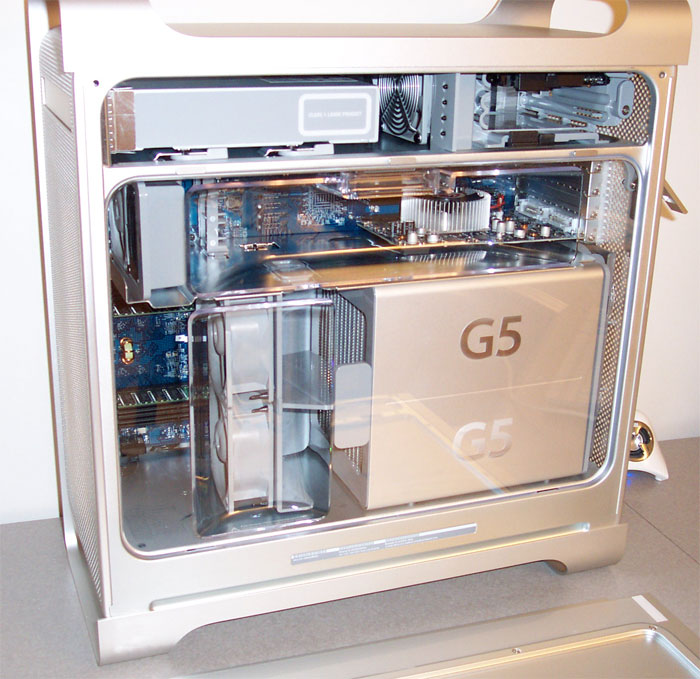
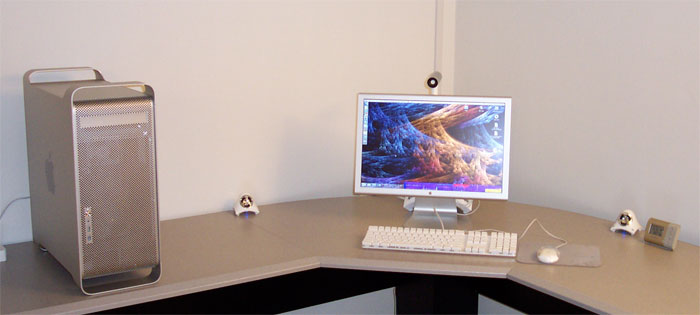
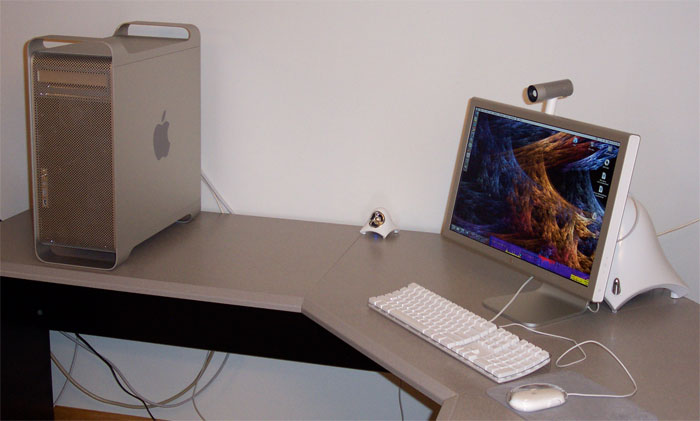
Well, this is the first chance I’ve gotten to post since my Dual 2.5Ghz G5 arrived last Tuesday. Let’s just say I’ve been having a lot of fun with the new machine the past few days. The speed is quite amazing, and it’s faster than I was expecting it to be. This is also my first dual-processor machine (my last 3 Macs were all Powerbooks), so it’s wonderful to have a couple of things going and still have some spare processing power to keep the interface responsive and allow me to continue working. Actually, the only time I’ve really been able to peg the CPUs is when compiling. Speaking of compiling, while XRG takes 3-4 minutes to compile on my TiBook 667, the new machine gets the job done in 22 seconds. 🙂

Some people have had a problem with the amount of noise that the 2.5Ghz models make. Most of the time, the machine is really quiet, and I only hear a slight whooshing sound from the fans. However, there are times when the machine will start to heat up and when the fans kick in they are a bit loud. Of course “loud” is a relative term, and while I can see why some others have complained, the machine is much quieter than my TiBook is when it starts spinning its fan at “hair dryer” volume… 🙂 There is a difference in how long the fans make a lot of noise too. While the Powerbook fan will make a ton of noise for 5-10 minutes before cooling the Powerbook back down to a reasonable temperature, the G5 will spin up it’s fans for 10 seconds or so, and then they will drop back down to a medium level.

Anyway, the Internet is full of pictures of the G5, so I won’t post a lot here, but here a couple of pictures of my setup…

Glass Desk

Over on the Cult of Mac blog, check out what happens when you have a desk with a glass top and the glass breaks! I couldn’t imagine walking into my office to find that heap of a mess with all my hardware on the floor.

Speaking of hardware… 😉 Most of the pieces of my new G5 have arrived. The Cinema Display, 1Gb RAM upgrade, the All-In-One, and the iSight adapter for the new monitor all came within a couple of days after ordering. The G5 itself is still on hold. They expect it to ship by 11/17, but who knows when it will get here.

Of course with my luck, Apple has since added an nVidia 6800 GT to the configuration options and it’s only $40 more than the ATI 9800 XT that I ordered. I asked about changing my order, but they claimed it would delay delivery by 2-3 weeks. I figured the 9800 should be plenty fast and it probably isn’t worth the wait.

« Older posts Newer posts »

© 2026 *Coder Blog

Theme by Anders NorenUp ↑