Life, Technology, and Meteorology

Year: 2004 (Page 1 of 5)

Another cold effect

Woke up this morning to find that the Internet connection here had gone down. I looked on the router, and it didn’t have a WAN connection to the wireless modem, which I thought was kind of strange. The modem is in an unfinished part of our basement (in a cabinet) right next to our sump pump, because it needs to be pretty close to the antenna outside and my office was too far away. I tried cycling the power on the modem, but that didn’t seem to work. Then all of a sudden the connection started flickering a little. It’d go on and then off a few seconds later.

I thought I might know what the deal was, but wanted to be sure, so I ran the cables out of the cabinet into the home theatre room and put the modem there. Sure enough a few minutes later the modem came back to life and the connection was fine. Figures that the best place to have the modem is a place that gets too cold for the thing to run. I checked the environmental specs and it will run down to 32°. It got down to 15° last night here, so that must have done it. Opening up the cabinet door probably warmed up that space just enough for it to start working again, thus the flickering connection.

Just another thing we didn’t have to worry about out west.

Dash Monitors pre-release

I’d like to introduce a new Widget called Dash Monitors that I’ve created in the past week or so for the Dashboard in Mac OS X Tiger. It’s been tested pretty extensively on the latest developer release of Tiger, but I can’t guarantee it will work on any later versions of Tiger as it’s possible that Apple will change the architecture of the Dashboard. If any readers here have a developer release of Tiger, give it a shot and let me know how it goes.

Here is a screenshot:

The Gaucho Software page for Dash Monitors can be found at http://www.gauchosoft.com/DashMonitors/.

G5 arrived!

Well, this is the first chance I’ve gotten to post since my Dual 2.5Ghz G5 arrived last Tuesday. Let’s just say I’ve been having a lot of fun with the new machine the past few days. The speed is quite amazing, and it’s faster than I was expecting it to be. This is also my first dual-processor machine (my last 3 Macs were all Powerbooks), so it’s wonderful to have a couple of things going and still have some spare processing power to keep the interface responsive and allow me to continue working. Actually, the only time I’ve really been able to peg the CPUs is when compiling. Speaking of compiling, while XRG takes 3-4 minutes to compile on my TiBook 667, the new machine gets the job done in 22 seconds. 🙂

Some people have had a problem with the amount of noise that the 2.5Ghz models make. Most of the time, the machine is really quiet, and I only hear a slight whooshing sound from the fans. However, there are times when the machine will start to heat up and when the fans kick in they are a bit loud. Of course “loud” is a relative term, and while I can see why some others have complained, the machine is much quieter than my TiBook is when it starts spinning its fan at “hair dryer” volume… 🙂 There is a difference in how long the fans make a lot of noise too. While the Powerbook fan will make a ton of noise for 5-10 minutes before cooling the Powerbook back down to a reasonable temperature, the G5 will spin up it’s fans for 10 seconds or so, and then they will drop back down to a medium level.

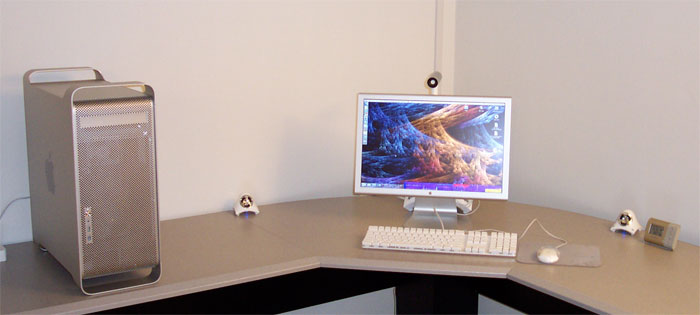
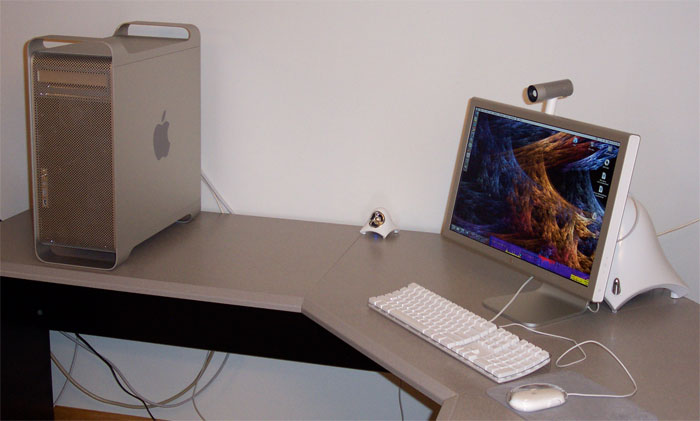
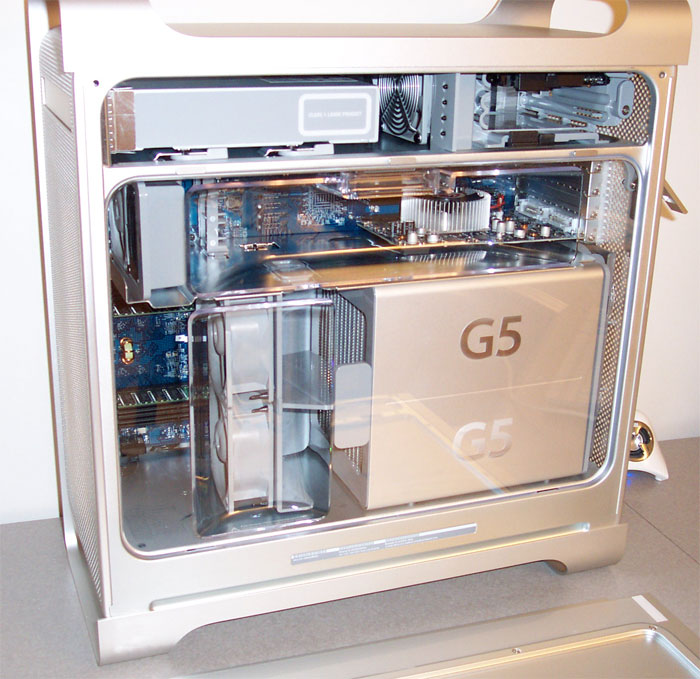
Anyway, the Internet is full of pictures of the G5, so I won’t post a lot here, but here a couple of pictures of my setup…

Glass Desk

Over on the Cult of Mac blog, check out what happens when you have a desk with a glass top and the glass breaks! I couldn’t imagine walking into my office to find that heap of a mess with all my hardware on the floor.

Speaking of hardware… 😉 Most of the pieces of my new G5 have arrived. The Cinema Display, 1Gb RAM upgrade, the All-In-One, and the iSight adapter for the new monitor all came within a couple of days after ordering. The G5 itself is still on hold. They expect it to ship by 11/17, but who knows when it will get here.

Of course with my luck, Apple has since added an nVidia 6800 GT to the configuration options and it’s only $40 more than the ATI 9800 XT that I ordered. I asked about changing my order, but they claimed it would delay delivery by 2-3 weeks. I figured the 9800 should be plenty fast and it probably isn’t worth the wait.

OSXplanet

Back in June, I posted on getting an Ultra 10 and commented on the lack of a freeware program today comparable to XEarth back in the day. Well, awhile back, I finally found one that has a beautiful display of earth with the option to download current cloud maps and locations of storms. The application is called OSXplanet, and it’s a GUI wrapper by Gabriel Otte of an open source project called Xplanet.

The first thing you notice when starting the app is how nice the imagery of the earth is. The texture used to map on the earth has a fairly high resolution, so it looks great even on large monitors. The option to download storm locations made tracking the recent hurricane season easy. It’s also cool to watch storms cross the US in the cloud map.

Here’s a screenshot of it running on my Powerbook (covered slightly by a couple of other apps).

Ordered a G5!

Well, the time has come to give my trusty 667Mhz TiBook some rest. I just ordered a new G5 today. Here are the specs:

Apple has it’s rebate promotion going for HP printers, so I couldn’t turn down an All-In-One for $30. 🙂 I’m hoping it will ship sooner than the estimated 3-5 weeks. Others have posted in forums online saying they received theirs after only a week or two. Maybe I’ll be lucky as well.

Anyway, I’ll post a full report and some photos when the machine arrives.

Micro-ISV

Eric Sink, who has written a lot of different articles about starting a small software business, recently wrote one that hit home for me here at Gaucho Software. The article talks about what he learned after a month of starting his own Micro-ISV, or single-developer software company. His situation is a bit different than mine here, simply because he still has his normal paying job and is programming his Winnable Solitaire on the side, but he still makes a lot of good points in the article.

Speaking of Gaucho Software, I recently configured some discussion forums for the company. I believe it will help me keep in touch with my user population, and will help users keep in touch with other users. There are already a couple of discussions up about XRG, so if you are interested check it out.

Linksys NSLU2

In case you haven’t heard, Linksys recently released a “network storage link” called the NSLU2. Basically it’s a box that you can plug in up to two external USB 2.0 drives and it serves them out NAS style. The box is running a stripped down version of Linux, which gives hackers interesting opportunities to customize the NAS to do other things such as acting as a CVS server, a print server, or an iTunes music server for Airport Express devices.

I already have a file server here at the home office, but if I didn’t, this product looks pretty cool. $80 for an embedded Linux box is pretty cheap, and it has a reasonable 32Mb of RAM to work with. If you’re interested in reading more about hacking it, check out the 4 part series of Hacking the Linksys NSLU2 over on Toms Hardware. Also, check out the page Jim Buzbee (the author of the articles) dedicated to his hacking attempts here. He has some interesting dmesg and /proc listings displayed.

Traverse City

This past weekend, Katrina had a conference up in Traverse City and I decided to tag along since I have been wanting to see more of Michigan. We had a great time up there. It’s a very beautiful part of the state, especially now that it is autumn. They have a few wineries up there, but the area is famous for its cherries. They even combine the two with many wineries selling cherry wine. We bought a bottle but haven’t had a chance to try it yet. We also couldn’t leave without buying some cherry jam and of course some chocolate covered cherries. 🙂

On Sunday, we went to the Sleepy Bear Dunes. We went on a pretty good hike, and it was nice to feel some real sand beneath our feet again. It was almost like being back in Santa Barbara. There are about 4 square miles of dunes, which is nowhere near the size of the dunes in Oceano, CA, but they were still fairly large. The contrast of Michigan forest next to the dunes was pretty amazing, and the National Forest Service set up a nice scenic drive through the forest area bordering the dunes.

Anyway, if you are ever in the area, check out both the dunes and Traverse City. Later this fall, we are hoping to drive up to the Upper Peninsula as everyone has been telling us that the colors are amazing.

5 hours of my life…

Well, I just wasted about 5 hours of my life trying to figure out a problem I was having with frameworks, bundles, and my new app. There is a nice way to embed frameworks into an application, as shown in an excellent video tutorial by Jonathan “Wolf” Rentzsch. The problem comes when embedding a framework into a plug-in bundle. I went through the tutorial, except embedding the framework code into my bundle. Things compiled fine, but when I went to run my app, it choked and complained that it could not find a method in a class within the framework.

Unfortunately the debugger was kind of flaking out on me…it was stepping at blank lines without any code and returning out of functions early. This led me to believe that maybe the debugger wasn’t looking at the right code. I couldn’t for the life of me figure out what was going on though. I tried doing a clean build of everything, making sure the frameworks were being included in the bundle, and that the bundle was in the Plugins directory of the app. Everything checked out fine. So if the structure was set up fine, why wasn’t the correct code being executed? I ended up finding the problem was two-fold.

First, I had an old version of the framework I was trying to embed in my ~/Library/Frameworks directory. The old version contained the class I was trying to use, but the class didn’t have the method I was calling yet. I removed that file, and tried running the app again only to find that it couldn’t find the Framework it was looking for. Aha! That explains why the debugger was acting funky….but why isn’t it finding the framework that is included in the bundle?

After poking around a bit more, I came to the point where I set the installation path to “@executable_path/../Frameworks”. Apparently, when embedding a bundle, the @executable_path is set to the application path and not the bundle path. I suppose this makes sense, after all the bundle isn’t the primary executable…it’s just a dynamically loaded library. However, there is no linker definition for @bundle_path or something similar, so unless the bundle is always at a hard-coded path, there is no way to embed a framework into a bundle.

The work-around I ended up doing was just to embed all the frameworks I need directly into the application. This bothers me though, because I know some of the frameworks will only be used in a single bundle, so it doesn’t make sense for them to be embedded in the app and not the bundle.

Anyway, I’m posting this here in the hopes that I can save someone else hours of confusion. 🙂 If anyone knows of another way to embed frameworks into a bundle without hard-coded paths, send me an email.

« Older posts

© 2026 *Coder Blog

Theme by Anders NorenUp ↑